INTELLIGENT AIOT
iCitySmart -
Intelligence in
Your Pocket
A smart, secure property app for modern buildings — intercom, alarm, camera monitoring and dynamic access control with iCity+ cloud and SIP/IP support.




Real-time camera monitoring

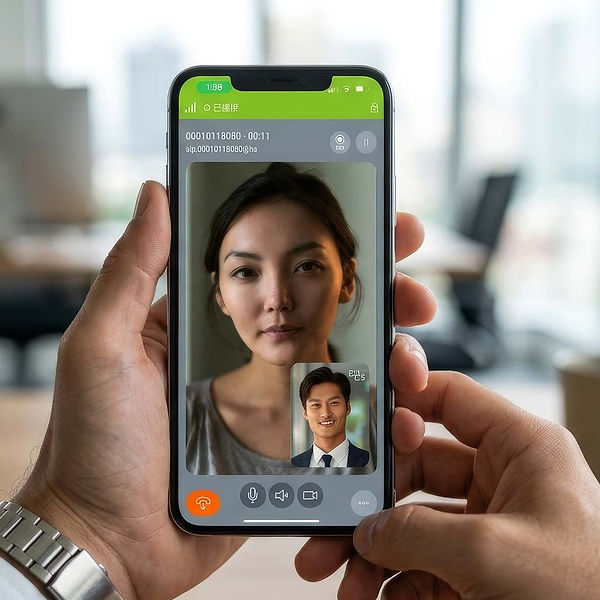
SIP-based intercom & notifications

Dynamic QR access codes

Alarm arming / event callouts
Core Features

Alarm
(Arm / Disarm)
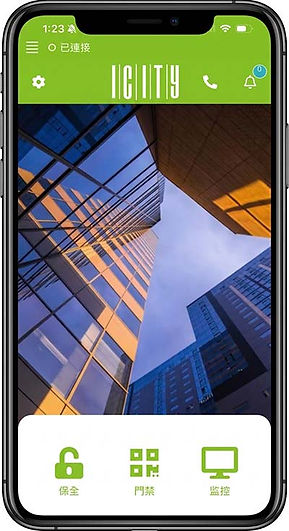
Arm or disarm the property alarm, check alarm stations, and when triggered, automatically notify iCity via SIP for immediate action.

Monitor
(Cameras)
View all registered cameras in a single list, open live feed, and quickly switch between cameras using previous/next controls.

Access Control (Dynamic QR)
Show a dynamically encrypted QR code that refreshes every minute to prevent copying. Generate one-time visitor QR codes by selecting date and time ranges.

Intercom &
Admin Call
Initiate intercom calls from any page. Use the "Call administrator" action for quick support and entry handling via SIP intercom.
Getting Started
Seamlessly integrate your living space in three simple steps.
01
Property registration
New installs are redirected to Assistant registration: use the iCity+ button to add cloud properties or "Join SIP" using the QR code and press Fetch and Apply to complete SIP registration.
02
Register indoor units
Open setup and register an indoor unit using the verification code generated by the indoor station. Once registered, select the indoor station you want to operate.
03
Manage devices
Select a registered indoor unit’s account number to operate it. You can also manage settings by removing indoor units from the app, or use a verification code generated by the indoor station to clear all registered mobile phones for that unit.